Design Process
I was inspired by a lot of different things. I have been enthralled with the legend of the minotaur and the labyrinth from Greek mythology since I was very small, and labyrinths have been a big part of my life so I knew I wanted to include one. I have also been thinking about this travel blog for a long time and collecting travel logos for years that I found interesting. When I went through my collection the ones I liked most all had compasses included.
I tried to use figure-ground and negative space with the labyrinth and to create balance with the circles and the compass points on all sides. I decided not to use color or to add the actual words “Love of Lost” because I felt that the labyrinth and compass were enough, and I wanted to make it a little more minimalistic, so I stuck with black and white. I feel that while there is a lot going on, the image is scalable. It would be large, but could also look good on a small business card.
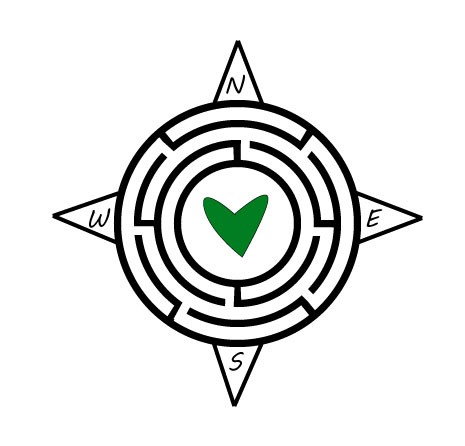
I incorporated the feedback from my classmates and teaching assistant by making the lines of the labyrinth thinner, making the lines of the compass thicker, adding a heart to the middle, and adding some color. It was suggested that I make the compass lines and the labyrinth lines the same thickness, but I felt that this actually made the compass harder to see. But I did make the thicknesses closer. I also added a heart to the middle. I decided to draw the heart myself rather than using a professional heart because I was inspired by one of my favorite street artists, James Goldcrown, who uses spray paint to create “bleeding arts” that are handmade and not perfectly shaped. You can find more information about James Goldcrown’s work here: http://www.jgoldcrown.com/bleeding-hearts. I chose to make the heart green because green is the main thematic color for my blog. I’m not sure if long term I’ll keep the green heart, as I personally prefer a more minimalistic logo, but for now I added it to try and learn from the feedback I was given. I also adjusted the placement of the labyrinth walls to make them more symmetrical, and lastly I added in the labyrinth openings that I wanted.
Technical Detail
All the elements of the logo I created myself using Adobe Illustrator. My design process included creating 4 circles, and adding lines around the circles to create a labyrinth shape. I used the line tool to create the compass points, and the font tool to add the directions. I was then able to erase some parts of the black labyrinth lines using the trim tool to create the labyrinth openings. I used the pen tool to create the heart.
Sources and Materials
Here you will find links to some of my favorite logos that helped inspire me:
Here you will find links to some of my favorite logos that helped inspire me: 1. https://www.123rf.com/photo_10976409_navigating-through-challenges-represented-by-a-labyrinth-maze-in-3d-with-a-compass-rose-symbol-showi.html?fromid=M3l6dzhudlBqaVRwMFk2SDVOb085QT09
 Love of Lost Travel